


Simply Piano: Learn Piano Fast
4.638.05K Reviews
App Specs
- Version
- 7.33.4
- Updated On
- License
- Free
- Downloads
- 50,000,000+
- Developer
- Simply Ltd
- Categories
- Education
- Platform
- Android, iOS
Screenshots
 Analysis by AppCompare
Learning piano is easier to begin than to sustain: it takes regular practice, a way to know whether you are playing the right notes, and lessons that don’t make a beginner feel lost. I see Simply Piano as a guided starting point for people who want to make music at home without immediately committing to formal lessons. It is an education app from Simply Ltd, and its appeal is practical: open a lesson, sit at a keyboard, and work through a skill in manageable steps.
Who will get the most from a guided approach
This is most compelling if you are new to piano, returning after a long break, or someone who learns better by doing than by reading explanations. A clear sequence can help answer the everyday beginner question, “What should I practice next?” Rather than choosing random tutorials and hoping they fit together, you can follow a lesson path and build familiarity with the instrument as you go.
It also suits a household where a keyboard is available but nobody has settled into a routine. A short session after dinner, for example, can be easier to start when the next exercise is already laid out. I would treat that structure as a prompt to practice, not a promise of quick mastery: progress still depends on returning to the keys and paying attention to timing, hand position, and sound.
What the app can and cannot replace
Compared with free video lessons, an interactive course offers a more active loop: you play, receive feedback, and try again instead of simply watching someone demonstrate. That can make it easier to notice a missed note in the moment. Video tutorials may still be better when you want a teacher to explain posture, demonstrate a particular technique from different angles, or answer a question that does not fit a preset lesson.
A live piano teacher brings a different kind of guidance. They can observe how your hands move, adjust advice to your habits, and help interpret musical expression in context. Simply Piano is not a substitute for that personal attention, especially if you have a specific performance goal or are developing technique seriously. For casual learning and self-paced practice, though, the app can be a useful companion rather than an all-or-nothing alternative.
A more useful way to practice with feedback
Note recognition is most valuable when you use it to diagnose a small problem, not just chase a score or move quickly through a lesson. If a passage keeps going wrong, slow down, isolate the troublesome section, and repeat it until the notes feel more secure. Then try it in context again. That cycle—separate, repeat, reconnect—is a practical way to turn immediate feedback into learning rather than treating it as a verdict on your ability.
There is a trade-off in microphone-based recognition: the app needs to hear your playing clearly enough to respond. In a noisy room, or while other people are playing nearby, feedback may be less dependable than it is in a quiet practice spot. If you are practicing at an inconvenient hour, consider whether the setup you have can produce a signal the app can hear; a touchscreen can be a fallback for trying the experience, but it is not the same as developing the feel of keys under your fingers.
Worth Reading Before You Choose

Baby Panda World Brings Quick Play to Modern Phones, but Its Game Library Feels Busy

ESPN’s Live Game View Makes Following Close Games Easier

QuizzLand Review: A Good Fit for Short Trivia Breaks, Not Every Player

Basketball Stars: Multiplayer Is Fast, but Can It Recover When Matches Go Wrong?

WEBTOON Turns Phone Updates Into a Better Reading Routine

Link to Windows Runs on Shared Habits, Not Social Feeds
Account, access, and everyday choices
The app is free to download, with in-app purchases priced from $0.99 to $314.99 per item. I would explore the initial experience before buying anything and check the purchase screen carefully so you understand what an offer covers. That is especially sensible if you are installing it for a child or sharing a device: make sure the person practicing knows that optional purchases may appear, and use the device’s purchase controls if you want an extra safeguard.
Because the app listens through the microphone to recognize notes, I would think about where and when I practice and grant microphone access only when I am ready to use that feature. The age rating is Everyone, but that does not remove the value of an adult checking the app’s visible choices and purchase prompts when a younger learner uses it. I would also review any account or privacy choices shown during setup rather than tapping through automatically. Those are sensible habits for a learning app that involves both listening and progress over time.
For people wondering whether a physical piano is essential, the app can be tried with a touchscreen, while a keyboard is the more relevant choice if your goal is to build real playing habits. A full-size instrument is not the only possible starting point, but fewer keys can limit what you can comfortably practice as lessons become more involved. If you already own a keyboard, check that you can place your device where you can see the lesson without blocking your hands or making the playing position awkward.
Why beginners may stick with it
If you're a beginner, the app's structured approach is perfect. It keeps things light and engaging, which is essential when you're just starting out. The app doesn’t just teach you how to play; it teaches you how to love playing, which is a huge win in my book.
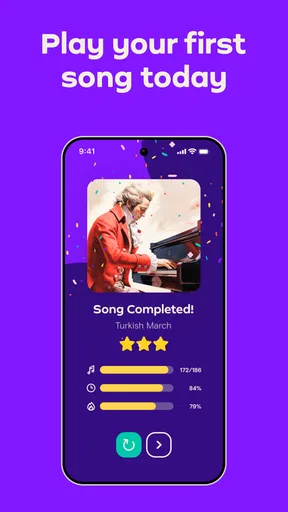
Plus, the gamified elements, like earning badges and completing levels, add an extra layer of motivation. Who doesn’t love a little friendly competition with themselves?
Getting Started with Simply Piano
The first thing you'll notice when opening Simply Piano is its user-friendly interface. It's like the app knows you might be nervous about starting, so it keeps things super simple. The setup is straightforward: you connect your keyboard or use the touchscreen, and you're off to the races.
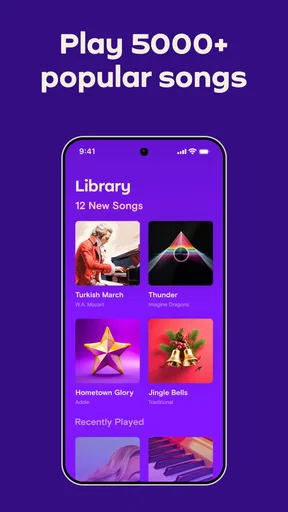
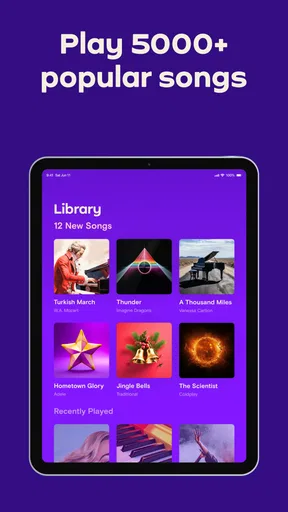
One of the coolest features is the library of songs. From classical pieces to pop hits, there's something for everyone. And let’s be real, playing along to your favorite tune is a pretty sweet way to learn. I started with "Let It Be," and I was hooked from the first note.
The Learning Experience
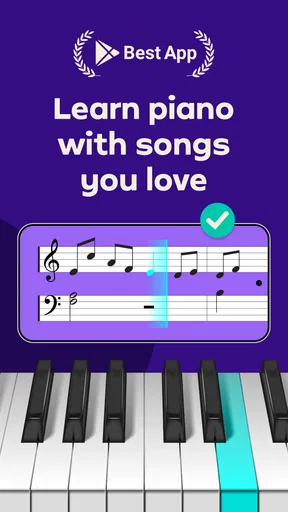
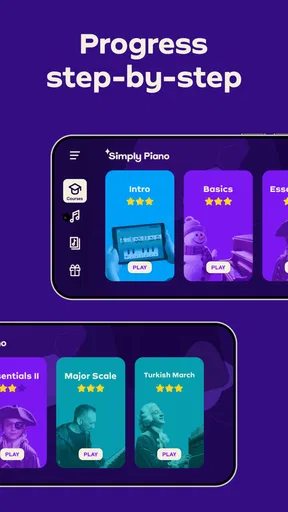
Let’s talk about the lessons. The app breaks down learning into bite-sized chunks that are easy to digest. You start with basics, like finger placement and simple scales, and gradually build up to more complex pieces. The interactive tutorials are a game-changer, providing instant feedback on your progress, which keeps you motivated.
It’s almost like having a personal piano teacher in your pocket. Need to practice that tricky part? Just loop the section until you nail it. The app’s approach to practice is practical and, dare I say, fun!
Features That Stand Out
One feature that deserves a shout-out is the app’s ability to recognize what you're playing. This is done through the microphone, which picks up the notes you play on your keyboard. It’s quite impressive how accurately it tracks your progress.
Also, the app offers personalized practice plans based on your goals. Whether you want to master classical pieces or just play for fun, the app tailors its lessons to fit your needs. This customization is what makes it really stand out from other learning apps.
Making the format work for you
At its current version, 7.30.21, Simply Piano has the reach of a well-established learning app: it has more than 50 million installs, around 936,000 ratings, and an average rating of 4.6. It is rated for Everyone and requires Android 6.0 or later. Those figures suggest that plenty of learners have tried it, but they do not tell you whether its teaching style will suit your hands, schedule, or musical goals. I would use the first sessions to judge that fit for myself.
One useful routine is to decide on a small practice window before opening the app. Start with a lesson, spend extra time on one weak passage, then finish by playing something familiar. This keeps the session from turning into a race through levels. If you only have a few minutes, repeating a short section carefully may be more useful than starting a new unit and stopping halfway through.
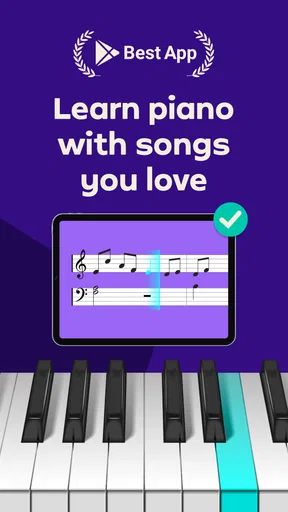
The song library can help make practice feel personal, but a familiar melody is not automatically easy to play. A song you love may introduce a rhythm or hand movement that is still new, so I would treat it as motivation rather than a shortcut around fundamentals. If a piece feels frustrating, return to the simpler exercise that develops the same skill, then try the song again later.
When another learning route makes more sense
If your main goal is to understand music theory in depth, read notation independently, or prepare for a formal exam, I would pair app practice with a method book, structured theory material, or instruction from a qualified teacher. An app’s lesson sequence can provide useful momentum, but it cannot necessarily answer every “why” behind a chord or musical phrase. Similarly, experienced players may find beginner-oriented guidance too basic and may prefer targeted lessons for a specific technique.
For someone who cannot practice aloud, the microphone-based feedback is an important consideration. Headphones can help you listen privately when using a suitable keyboard setup, but they do not by themselves ensure that the app can hear the notes. If quiet practice is a firm requirement, compare the app’s listening workflow with alternatives that rely more on silent reading, video, or direct keyboard connections before building a routine around it.
Simply Piano is free to start, but its optional purchases range from $0.99 to $314.99 per item, so I would not assume that every lesson or song is included without checking the offer presented in the app. The practical question is not just the price of an individual item; it is whether the available learning path matches what you want to practice. Take time to understand the purchase terms and any account choices before making a longer commitment.
A cautious verdict for a first piano app
Simply Piano is a sensible option when you want guided practice, immediate note feedback, and a reason to sit down at the keyboard regularly. I would recommend it most readily to beginners who enjoy learning through short interactive tasks and who are comfortable practicing in a place where the microphone can pick up their playing. It is less suitable as a sole resource for advanced technique, detailed musical coaching, or a fully quiet practice routine.
Simply Piano may not replace a real-life piano teacher, but it comes pretty close. With its intuitive design and engaging lessons, it’s a fantastic tool for anyone looking to learn piano at their own pace.
So, if you've got a keyboard gathering dust in the corner and a yearning to play, give this app a shot. You might just find yourself playing your favorite songs faster than you imagined.
Pros
- User-friendly interface for all ages.
- Wide variety of songs to choose from.
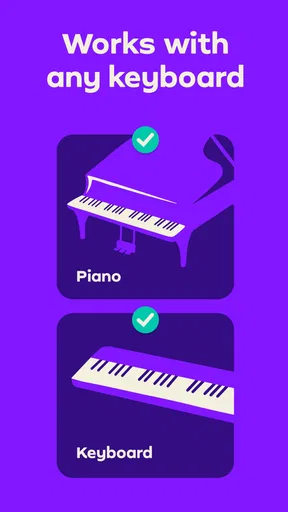
- Compatible with real pianos and keyboards.
- Interactive lessons enhance learning.
- Progress tracking keeps motivation high.
Cons
- Requires subscription for full access.
- Limited offline functionality.
- Some features need internet connection.
- Ads can be distracting in free version.
- Not suitable for advanced pianists.
FAQs for Simply Piano: Learn Piano Fast
Is Simply Piano suitable for beginners?
Yes, Simply Piano is designed with beginners in mind. It provides step-by-step lessons that are easy to follow, allowing users to progress at their own pace. The app includes interactive features and tutorials on basic music theory, making it an excellent choice for those with no prior piano experience.
What devices are compatible with Simply Piano?
Simply Piano is compatible with both Android and iOS devices. The app requires a stable internet connection for downloading lessons and updates. It can be used on tablets and smartphones, but for an optimal experience, a larger screen is recommended, especially when reading sheet music or following along with lessons.
Does Simply Piano require a real piano or keyboard?
While Simply Piano can be used with an on-screen keyboard, using a real piano or MIDI-compatible keyboard enhances the learning experience. The app listens to the notes you play and provides real-time feedback, which is more accurate when using an acoustic or digital piano.
How much does Simply Piano cost and is there a free version?
Simply Piano offers a free trial that includes limited lessons to get you started. However, a subscription is required for full access. Pricing varies depending on the plan chosen, with options for monthly, yearly, or family plans, offering flexibility based on your learning needs.
Can multiple users use the same Simply Piano account?
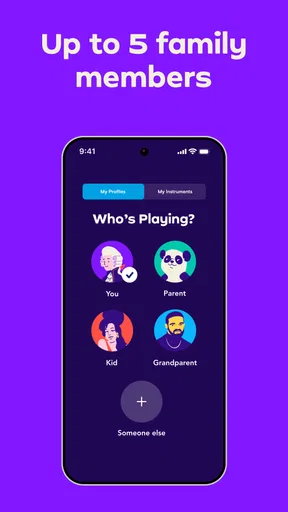
Yes, Simply Piano offers a family plan that allows multiple profiles under one account. This feature is ideal for households where more than one person wants to learn piano. Each user can track their progress individually, ensuring a personalized learning experience for everyone.


